Home Comes to Life
with The Fastest TVOS in the World

Ask V

A smarter way to watch, explore, and live

HomeOS turns your TV into a personal discovery hub – bringing together entertainment, sports, and services in one fast and family friendly interface

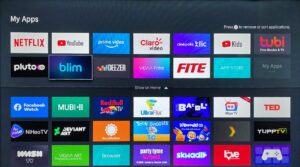
Your Favorites Apps,
All On One Screen

Whatever You’re Into - There’s a channel for it

From sports and news to kids, shows and lifestyle, discover dedicated channels for the things you actually care about.

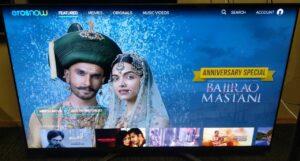
Endless entertainment - free streaming

The Heartbeat of Home Life

Trusted by Partners Worldwide

HomeOS remote control

Everything within reach – one button takes you straight to your hub with Netflix, Disney+, Your favorite FAST channels and much more.

Your Favorite Apps. All in One Place

FAQs

Can I manage apps using the VIDAA App on my smartphone?

Yes, with the VIDAA App on your smartphone, you can easily install, uninstall, and manage apps on your TV. This provides greater flexibility and convenience when customizing your TV experience.

What is Cloud Gaming, and what does it offer?

Cloud Gaming allows you to play over 1,000 games directly on your TV without the need for a console. You can access popular cloud gaming services through the VIDAA platform, using only a compatible controller.

What is VIDAA Art, and how do I use it?

VIDAA Art transforms your TV into a digital art gallery, featuring renowned artworks and personalized collections. You can easily customize display settings and choose from a diverse selection of art pieces. Access VIDAA Art via the dedicated app icon, the VIDAA Art button on your remote, or through the side menu under the Art icon.

What is VIDAA Kids powered by Kidoodle, and how do I access it?

VIDAA Kids powered by Kidoodle is a dedicated space designed for children, offering curated, child-friendly content along with robust parental controls. You can easily set restrictions, screen time limits, and monitor your child’s activity through the Kids settings. Access VIDAA Kids powered by Kidoodle via the VIDAA Kids app icon or through the side menu by selecting the Kids icon.

Login to your
V Experience

Partner portal sign up