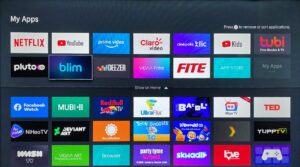
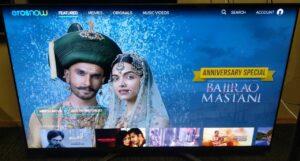
Yes, the update adds support for more languages (Hungarian, Bulgarian, Albanian, Czech, and Hebrew) and additional voice control capabilities. You can now use your voice to search for live TV, apps, and content more effectively.

V exists to make the home more enjoyable, intelligent, and alive. Entertainment, discovery, commerce, and control come together in one living environment.

V is built as an open, neutral platform. Open to partners. Open to services. Open to choice. Always and everywhere.

We believe that technology should disappear into the background. V uses AI to remove friction instead of adding features.

V stays in the background, so content, brands, and partners can take the spotlight. With seamless, intuitive experiences that deliver real engagement.

From global reach and tailored content to monetization and speed-to-market, V gives OEMs, advertisers, and content partners the tools to grow - without limits or friction

V stays in the background, so content, brands, and partners can take the spotlight. With seamless, intuitive experiences that deliver real engagement.
V began as VIDAA, with a vision to simplify the smart TV experience and evolved into a global platform, that integrates top-tier streaming content and services to meet the diverse needs of users at home. Today, V continues to innovate, delivering seamless entertainment, commerce and AI assistance at home through HomeOS.
HomeOS (formelry VIDAA OS) is more than just a smart TV operating system. It’s a connected entertainment platform designed to enhance the viewer experience while staying completely out of their way.

Strawinskylaan 3051,
Atrium Building, 4th Floor
1077ZX Amsterdam
Netherlands

7310 McGinnis Ferry Road,
Suwanee, GA 30024
United States

A4F8, Hisense R&D center,
399 Songling Road,
QingDao, 266071,
China

Strawinskylaan 3051,
Atrium Building, 4th Floor
1077ZX Amsterdam
Netherlands

7310 McGinnis Ferry Road,
Suwanee, GA 30024
United States

A4F8, Hisense R&D center,
399 Songling Road,
QingDao, 266071,
China
Yes, the update adds support for more languages (Hungarian, Bulgarian, Albanian, Czech, and Hebrew) and additional voice control capabilities. You can now use your voice to search for live TV, apps, and content more effectively.
The U8.5 update includes built-in hints and tips to help you explore and discover new features. These helpful prompts will guide you through the new functions and improvements as you navigate the interface.
To check your TV’s U-version, follow these steps:
Select System Settings
Select Support
Go to System Info
Select Version
The U-version is the first digit in the software version number after the zeros.
Sign in to your VIDAA account at my.vidaa.com and click “Update” in the “Data & privacy” section. Click on “Delete” to delete your usage data or “Download” to receive your usage data via email. Verify your Email
Click “Verification code” and enter it.
Receive Download Link via Email
After email verification, click “download”.
Inside the email, there should be a download link for user data.
To delete your account please visit my.vidaa.com and login with your credentials. Click “Update” on Account Information and “Delete account” on teh next page. Your account will be deleted.
Yes, with the VIDAA App on your smartphone, you can easily install, uninstall, and manage apps on your TV. This provides greater flexibility and convenience when customizing your TV experience.
Cloud Gaming allows you to play over 1,000 games directly on your TV without the need for a console. You can access popular cloud gaming services through the VIDAA platform, using only a compatible controller.
VIDAA Art transforms your TV into a digital art gallery, featuring renowned artworks and personalized collections. You can easily customize display settings and choose from a diverse selection of art pieces. Access VIDAA Art via the dedicated app icon, the VIDAA Art button on your remote, or through the side menu under the Art icon.
VIDAA Kids powered by Kidoodle is a dedicated space designed for children, offering curated, child-friendly content along with robust parental controls. You can easily set restrictions, screen time limits, and monitor your child’s activity through the Kids settings. Access VIDAA Kids powered by Kidoodle via the VIDAA Kids app icon or through the side menu by selecting the Kids icon.